
Tardy stations
Tardy stations that keep the line moving.
A late student checks in, the tardy is logged in seconds, and they head to class knowing exactly where they stand. Use the computers, scanners and printers you already have, or let students check themselves in at a classroom kiosk.
What is a tardy station?
A tardy station is a spot where late students check in before going to class, usually the main entrance, the front office or a busy hallway. Instead of writing slips by hand, staff look the student up, log the tardy and, if your school uses them, hand over a printed pass. Most schools run one to three stations.
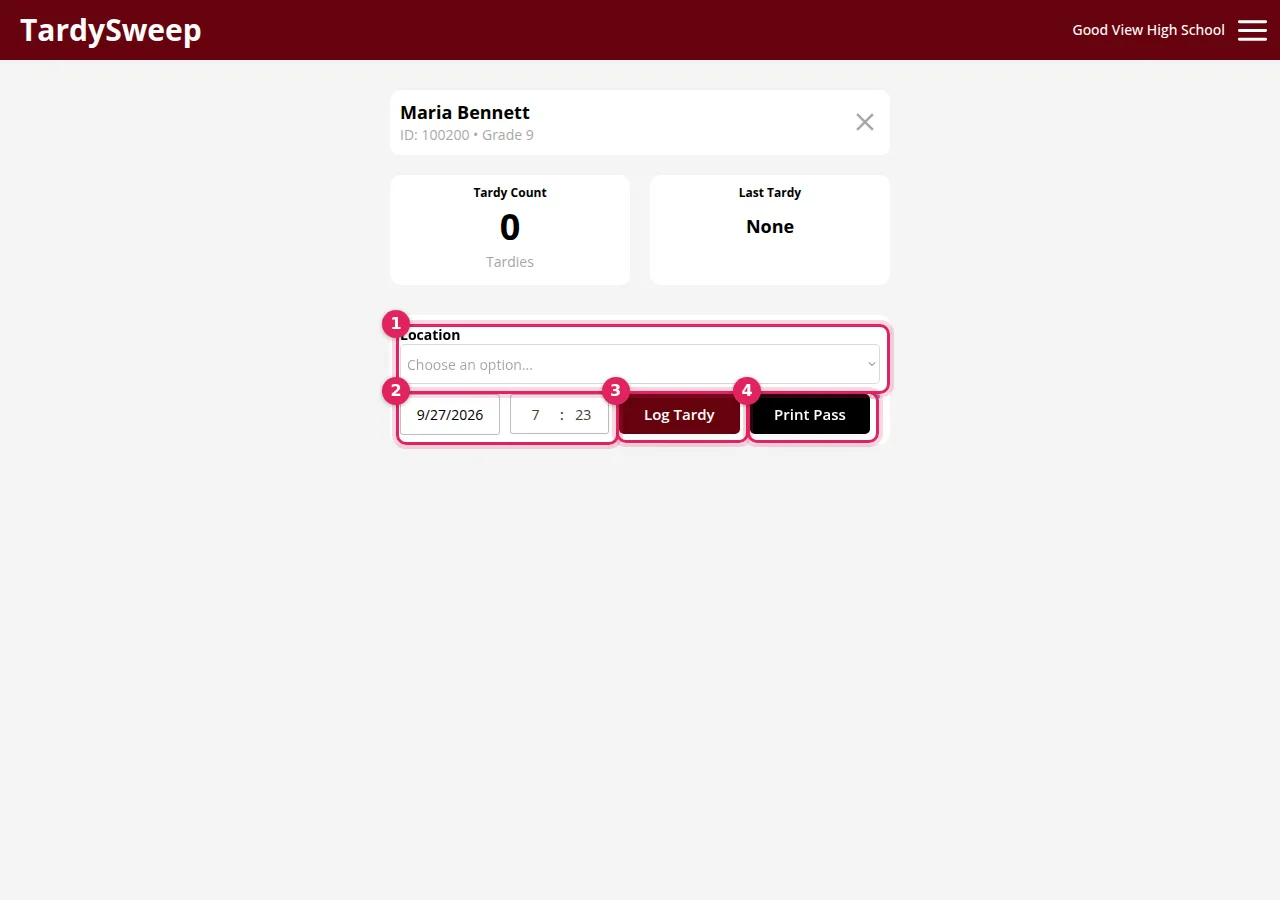
With TardySweep, a station is simply a device signed in to TardySweep. The date, time, bell period and location fill in on their own, and the screen shows right away what happens next under your school's tardy rules, so the student knows where they stand before they leave the station.
Hallway and front-office stations
Scan, scan, done.
The fastest setup is a computer with a USB barcode scanner. The first scan of a student's ID card opens their card. The second scan logs the tardy. Then the next student scans, with no clicking in between.
- No barcode cards? Staff can type part of a name or the student ID instead.
- Passes are optional. Connect an office printer or an 80mm receipt printer, and the pass can print right after the tardy is logged, with the student's next step on it.
- Locations show up in reports, so you can see which doors are busiest and where students are held up.
Omaha South High School, one of the largest high schools in Omaha, runs tardy stations with barcode scanners and printed passes. Ralston High School runs dedicated stations in its hallways.
Classroom stations
A tardy kiosk in every room that needs one.
Not every school can staff a tardy desk at every entrance. Classroom stations turn a classroom iPad or Chromebook into a self-service tardy kiosk. A late student types their student ID, confirms their name and taps Log Tardy. They see their tardy count and what happens next, and the screen clears itself for the next student.
- Same counts, rules and reports as a tardy logged by staff. The time and period come from TardySweep, not the device.
- Set up in under a minute. A teacher opens your school's pairing link and enters your 6-digit station code. No admin needed.
- QR check-in. Each station also shows a QR code students can scan with their school iPad. It changes every 15 minutes and only works during the school-day hours you set.
- Students never sign in and don't have accounts.
Classroom stations are an add-on priced by the number of rooms. Ask us for a quote.
What you need for a tardy station
- A computer, Chromebook or tablet with internet and an up-to-date web browser. That's the only requirement.
- A USB barcode scanner (optional), if your student ID cards have barcodes. Any standard plug-and-play scanner works, including wireless ones with a USB receiver. No special software.
- A printer (optional) for passes: a regular office printer or an 80mm thermal receipt printer.
There's no hardware to buy from us. Step-by-step guides: set up a tardy station and use a USB barcode scanner.
Tips for running a station
- Put stations where late students already arrive: the main entrance, the front office and the hallway outside the busiest wing.
- Keep the device awake and plugged in during the school day, and bookmark the logging screen so it's one click away each morning.
- Use the same rules at every station. When the consequence comes from the school's rules instead of whoever is at the desk, students stop shopping for the friendliest station.
- Pair stations with hall sweeps. Stations catch students at the door, and tardy sweeps catch the ones still in the halls. Both count toward the same totals.
Using paper passes for now? Our free tardy pass maker prints passes with your school's name and logo, including on receipt printers.
Questions
Do I need special hardware?
No. Any computer, Chromebook or tablet with a web browser works. A barcode scanner and a printer are optional.
Can students log their own tardies?
Yes, at classroom stations. Students type their student ID or scan the station's QR code. They never sign in or have accounts.
Can the station print a pass?
Yes, if you want passes. The pass can print automatically after the tardy is logged, on letter paper or a receipt printer, with the student's next step from your rules.
How many stations can we have?
As many as you need. Staffed stations are signed in with your staff accounts. Classroom stations are priced by the number of rooms.
Ready to see TardySweep in your building?
Start a free trial and set up your school yourself, or book a 30-minute walkthrough with Justin.